
Tech
Vivo T4 5G Unboxing & First Impressions ⚡ A Beast with 7300mAh Battery & 90W Charging

The mid-range smartphone market just got a serious contender with the arrival of the Vivo T4 5G. Priced at Rs19,999*, it brings in a host of features that punch well above its weight—like a massive 7300mAh battery, 90W fast charging, a Snapdragon 7s Gen 3 chipset, and a slick design that’s under 8mm thick. Here’s our in-depth unboxing and first look at Vivo’s latest launch.
Vivo T4 5G – Key Specifications
Category Details Launch Price (India) Rs 19,999 (Base Variant) Battery Capacity 7300mAh Charging Speed 90W FlashCharge (0–100% in ~65 minutes) Processor Qualcomm Snapdragon 7s Gen 3 RAM Options 8GB / 12GB LPDDR4X Storage Options 128GB / 256GB UFS 2.2 Display 6.77″ FHD+ AMOLED, 120Hz refresh rate, micro-quad curved Display Brightness Peak: 5000 nits, HBM: 1300 nits Resolution 1.5K (FHD+) Camera (Rear) 50MP Sony IMX882 (Main) + 2MP Depth Sensor Camera (Front) 32MP Video Recording 4K @ 30FPS (Front & Rear) OS & UI Android 15 with Funtouch OS 15 Software Support 2 Years Major Updates + 3 Years Security Updates AI Features Note Assist, AI Erase, Circle to Search Gaming Performance 60FPS in BGMI, 35–40FPS in Genshin Impact Speaker Stereo Speakers Security In-display Fingerprint Sensor, Face Unlock Build 7.89mm thick, 198.5g weight Durability MIL-STD 810H Certified, IP65 Rating SIM Slot Dual Nano SIM (No SD Card Support) Connectivity Bluetooth 5.2, Dual 5G Standby, 10 5G Bands, USB 2.0, No NFC Other Features IR Blaster, Widevine L1, No Notification Light, No FM Radio Colors Available Two Colors (One subtle grey & one stylish design)

Also Read: Motorola edge 60 fusion is here – The most premium phone @20,999*
🔹 What’s in the Box?
Vivo doesn’t skimp on the box contents:
- Vivo T4 5G device
- Pre-installed scratch guard
- Protective case (yes, included!)
- 90W FlashCharge USB Type-A to Type-C charger
- Type-A to Type-C charging cable
- SIM ejector tool
- Documentation
Buy Vivi T4x
Design & Build: Surprisingly Sleek for a Battery Beast
Despite housing a 7300mAh battery, the phone is just 7.89mm thick and weighs 198.5g, but feels lighter thanks to excellent weight distribution. The design features a wavy pattern on the back and a ring-style dual camera module that adds flair.
Key highlights:
- Military Grade 810H certification for durability
- IP65 water and dust resistance
- Dual nano-SIM support
- Comes in two stylish color options: bold and subtle
Display: Bright, Immersive, and Eye-Friendly
The Vivo T4 5G boasts a 6.77″ FHD+ AMOLED micro-quad curved display with a 120Hz refresh rate, 5000 nits peak brightness, and SGS Blue Light certification for eye comfort. Whether you’re watching movies or scrolling through social media, the display is vivid, responsive, and easy on the eyes.
- HDR support
- Ultra-thin bezels and chin
- High screen-to-body ratio
- 1.5K resolution with HBM 1300 nits
Performance & Battery: Built to Last and Run Fast
Powered by the Qualcomm Snapdragon 7s Gen 3, this phone is tuned for performance and endurance.
Specifications:
- RAM & Storage Options:
- 8GB + 128GB (base)
- 8GB + 256GB
- 12GB + 256GB
- RAM Type: LPDDR4X
- Storage Type: UFS 2.2
- Antutu Score: ~800,000
- Gaming Performance: Smooth 60FPS in BGMI, 35–40FPS in Genshin Impact
- Charging: 0 to 100% in under 65 minutes
Software Experience: Feature-Packed with Android 15
The Vivo T4 runs on Funtouch OS 15 based on Android 15, promising a smooth, up-to-date user experience.
- 2 Years of Major OS Updates + 3 Years Security Updates
- AI Features: Note Assist, AI Erase, Circle to Search
- Pre-installed apps (removable); system apps can’t be removed but notifications can be disabled
- Vivo guarantees 50 months of fluency
Cameras: Practical Photography with 4K Support
Rear Cameras:
- 50MP Sony IMX882 main sensor
- 2MP depth sensor
Front Camera:
- 32MP selfie shooter
While the rear setup lacks an ultrawide lens, the performance in daylight and low-light is solid, with features like:
- 2X portrait mode
- Super night mode
- Pro mode
- Ultra HD document scanning
- 4K @ 30FPS video (front & back)
Multimedia & Connectivity: A Treat for Content Lovers
- Stereo speakers
- Widevine L1 support for HD streaming
- Bluetooth 5.2, dual 5G standby, 10 5G bands
- No NFC, No FM Radio, No Notification Light
- IR Blaster Included
Final Verdict: Power, Display, and Performance at a Great Price
The Vivo T4 5G is a compelling device for anyone looking for a powerful daily driver under ₹20,000. The standout features—gigantic battery, fast charging, premium AMOLED display, and capable performance—make it a solid all-rounder. Sure, the lack of an ultrawide lens and NFC might be a letdown for some, but the trade-offs seem fair given the asking price.

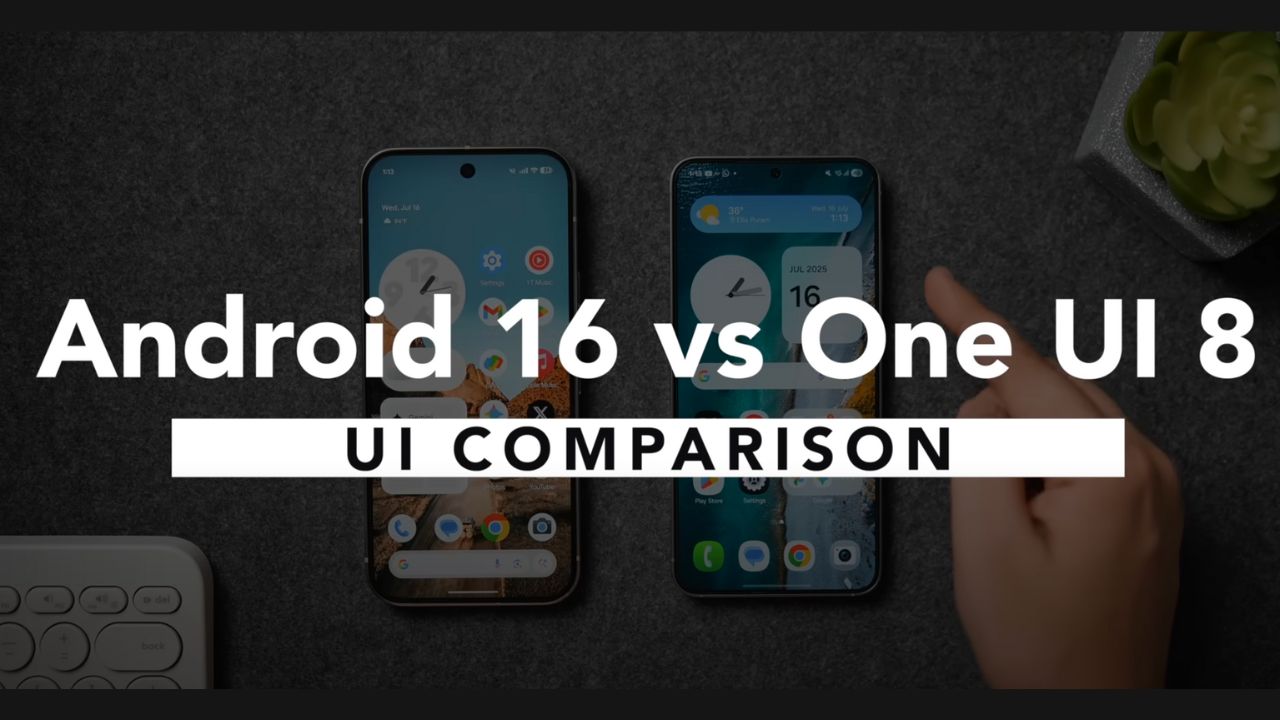
When it comes to Android, users are typically on one side of the line when it comes to a growing pool of OEMs offering their unique skin on top of stock Android – (stock) Google Pixel experience vs feature-rich Samsung One UI. In 2025, in Android 16 with Material 3 Expressive vs Samsung One UI 8 on the Galaxy S25 series. So which is the better user experience? Let’s compare everything from lock screen customizations to widgets, animations, and artificial intelligence features.
Lock Screen Customization – Samsung Takes the Lead
Android 16 (Pixel 9 Pro)
Neat design, with subtle animations
Few clock face options (no new ones since Android 14)
Shape-based wallpaper effects (rain, fog, sun, etc.)
Live animation transitions between the lock screen and home screen
Restrictive sizing for components
One UI 8 (Samsung Galaxy S25)
Complete resize-able and movable clocks
AI-generated Dynamic Clock, that adjusts to the wallpaper shape
AI awarding suggestions for the lock screen
Now panel: live music, score tracker for sports, voice note, and timer
More default clock options that are animated and flashy
✅ Winner: One/UI 8 – Offers more creative possibilities and useful features
Home Screen Experience
Icons & Theming
- Pixel UI: Minimalist, consistent themed icons, though a bit outdated
- One UI 8: Slightly modern icons, improved customization with Good Lock
Widgets
| Feature | One UI 8 | Android 16 (Pixel UI) |
|---|---|---|
| Widget Resizing | Custom sizes, 1×2 to 4×4+ | Limited resizing |
| Aesthetic Design | Cohesive with UI | Basic Material 3 styling |
| Functionality | Rich with controls | Simpler and static |
✅ Winner: One UI 8 – More functional and beautifully integrated widgets
App Drawer & Quick Settings Panel
Android 16 introduces a blurred background in the app drawer and quick settings to modernize the appearance.
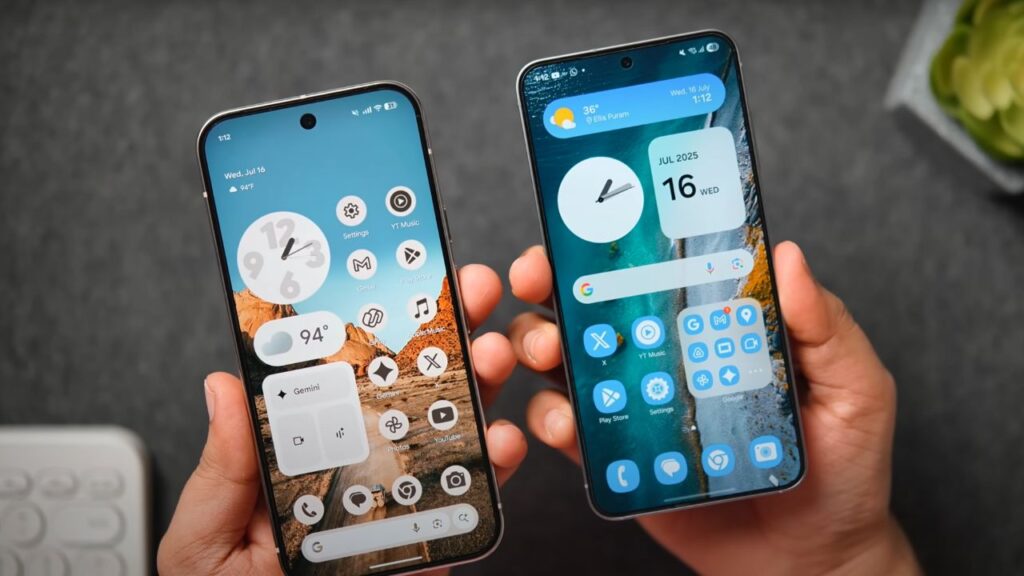
One UI 8 allows for both horizontal and vertical scrolling, customizable layout, and enhanced ordering (custom/alphabetical).
Both UIs support tile repositioning and layout adjustments, but Samsung’s panel looks more polished.
Also Read: Vivo X200 FE vs iPhone 16: The Compact Flagship Android
✅ Winner: One UI 8 – Siemens Cleaner, and flexibility in design
Customization & Visual Tweaks
Android 16
Material You design (Material 3 Expressive)
New wallpapers features live effects ( animations based on weather, temperature etc. )
Slightly interactive toggles and sliders
Toggle jiggly animation when toggling on/off
One UI 8
GoodLock for insane levels of customization
Modify recent apps interface, animation, quick settings…
Cleaner and more elegant UI layout
✅ Winner: One UI 8 – Deeper user friendly customization out of the box
Animations & Haptics
Android 16: Interactive animations, solid haptic feedback but a little jittery due to single sequential animations
One UI 8: Animated transition, polished gestures, customizable with Good Lock
✅ Winner: Tie – Pixel’s more interactive, but Samsung’s has smoother animations.
AI Features – Who’s Smarter?
| AI Feature | One UI 8 (Samsung) | Android 16 (Pixel) |
|---|---|---|
| Lock Screen Suggestions | ✔️ AI-driven | ❌ Not available |
| Dynamic Clock AI | ✔️ Shape-aware clock | ❌ None |
| AI Live Activities (Now) | ✔️ Cricket, Music, Voice, etc. | ❌ Limited live info |
| Voice Translation / AI Tools | ✔️ Samsung AI Assistant | ✔️ Gemini AI, Circle to Search |
✅ Winner: One UI 8 – More meaningful day-to-day AI implementation
Final Verdict – One UI 8 or Android 16?
| Category | Winner |
|---|---|
| Lock Screen | One UI 8 |
| Home Screen | One UI 8 |
| Widgets | One UI 8 |
| App Drawer | One UI 8 |
| Quick Settings Panel | One UI 8 |
| Animations & Haptics | Tie |
| AI Features | One UI 8 |
| Software Cleanliness | Android 16 |
✅ Overall Winner: One UI 8
While Android 16 brings visual enhancements and smoother animations, Samsung’s One UI 8 simply offers more: better customization, smarter features, cleaner UI, and more control. With Good Lock support and rich system-level personalization, Samsung delivers the most polished and user-centric Android experience in 2025.
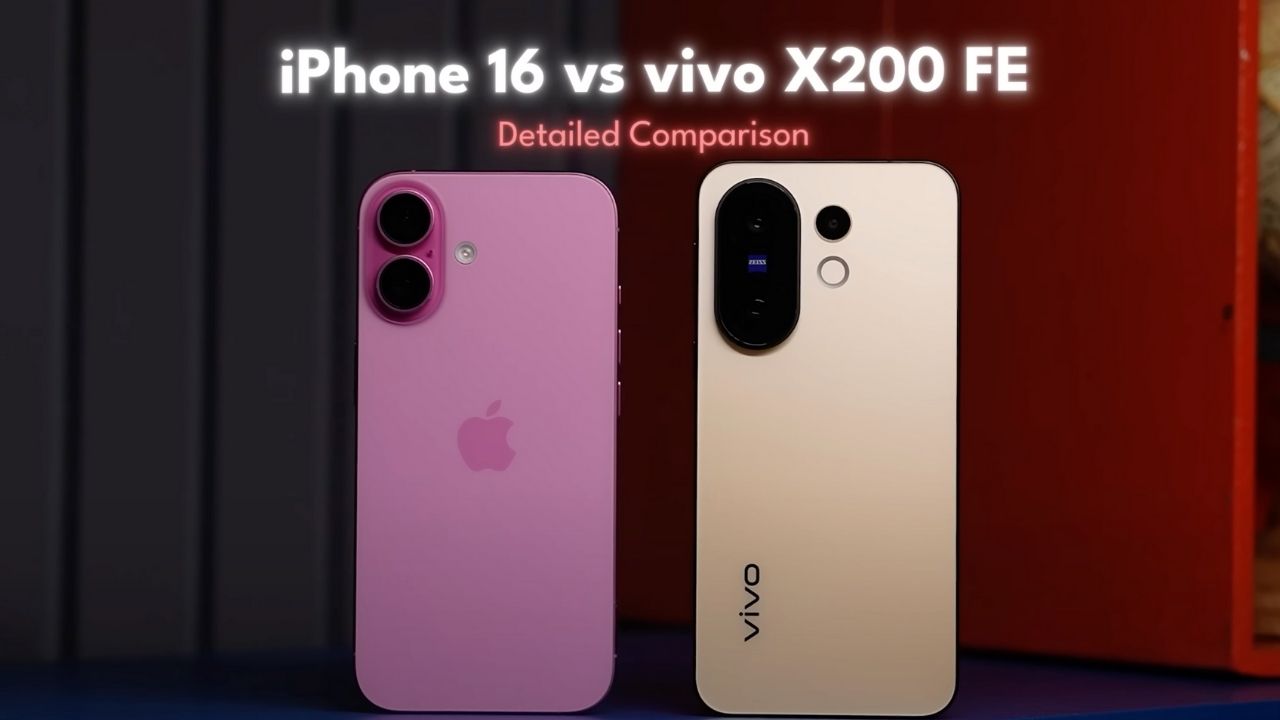
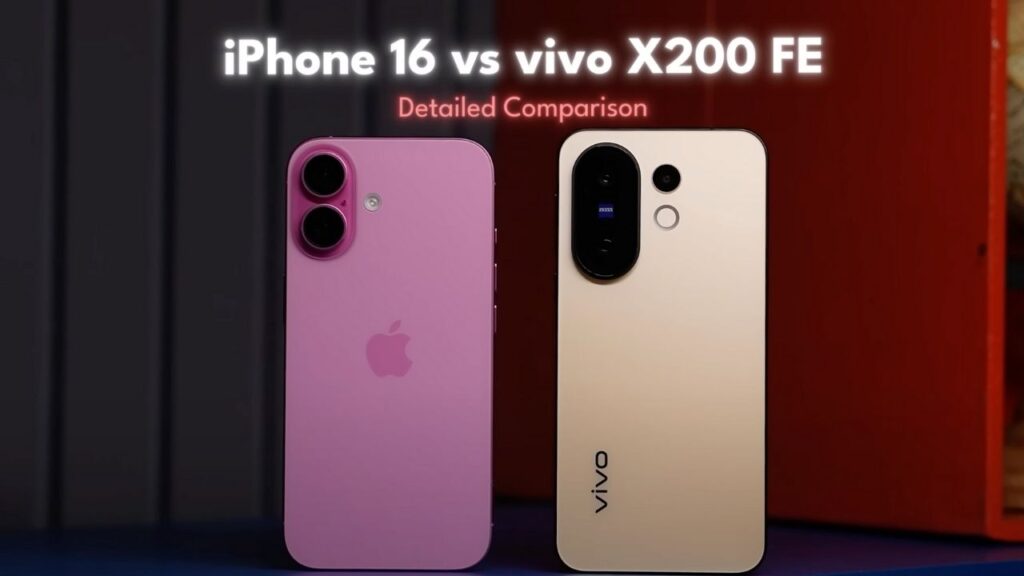
In a world where iPhones dominate the premium space, the Vivo X200 FE comes in hot—offering better hardware, a lower price, and practical features that even the iPhone 16 skips. But can it actually outshine Apple’s compact powerhouse? Let’s break down the full comparison.
Design & Build: Inspired, Yet Better?
The Vivo X200 FE takes visual cues from the iPhone 16 with flat sides and a sleek in-hand feel. But unlike the iPhone’s Ceramic Shield, Vivo uses Schott Sensation Core, which holds up better against scratches. It also carries a more modern IP69 rating (vs iPhone’s IP68), giving it an edge in ruggedness.
Feature Vivo X200 FE iPhone 16 Display Glass Schott Sensation Core Ceramic Shield 2.0 Water Resistance IP69 IP68 Weight < 200g Lighter Extra Buttons — Action + Camera Button In-box Accessories Case + Charger Included None
Battery & Charging: Vivo Leads the Pack
The X200 FE wins hands down in this department. With a larger battery and 90W fast charging, it offers up to 8 hours of screen-on time. In contrast, the iPhone 16 maxes out around 6.5 hours and takes over 90 minutes to charge.
Display: 120Hz LTPO vs 60Hz OLED
This is where the gap widens. The iPhone 16, in 2025, still uses a 60Hz OLED panel, while Vivo equips the X200 FE with a 120Hz LTPO AMOLED, 3000 nits peak brightness, and 2160Hz PWM dimming for better eye comfort.
Feature Vivo X200 FE iPhone 16 Size 6.31” 6.1” Refresh Rate 120Hz LTPO 60Hz Peak Brightness 3000 nits Brighter outdoors HDR Support HDR10+ Dolby Vision PWM Dimming 2160Hz Not specified
Audio & Haptics: iPhone Still Wins
While the X200 FE offers stereo speakers and high-res Bluetooth codecs (LDAC, LHDC), the iPhone 16’s speakers sound fuller, and its haptic feedback remains unmatched thanks to Apple’s Haptic Engine.
Performance & Storage
- iPhone 16: Powered by the A18 chip, leading in CPU benchmarks
- Vivo X200 FE: Runs on MediaTek Dimensity 9300+, excellent GPU stability, and better thermal management
What’s more impressive is that Vivo offers 12GB RAM and 256GB base storage, whereas iPhone sticks to 8GB RAM and 128GB in the base variant.
Gaming Comparison
- BGMI: iPhone capped at 60FPS due to display
- Vivo X200 FE: Supports 120FPS gameplay, cooler surface temps, and more consistent frame rates in Genshin Impact
However, the iPhone supports console-level games like Resident Evil Village and Assassin’s Creed Mirage via App Store, which Android lacks.
Camera Showdown: More Versatile on Vivo
Vivo features a triple-camera system, including a dedicated telephoto lens, while iPhone sticks to a dual-lens setup.
| Camera Feature | Vivo X200 FE | iPhone 16 |
|---|---|---|
| Main Sensor | 50MP + Zeiss Color Modes | 24MP |
| Zoom Capabilities | 3x Optical, 10x Digital | 2x In-Sensor Crop |
| Low-Light Performance | Better Brightness & Detail | More Neutral Look |
| Ultrawide Camera | 8MP | 12MP + Macro Mode |
| Selfie Camera | Great in low light | Better color accuracy |
| Video Quality | 4K60 (Main + Front) | 4K60 + HDR Support |
Verdict: Vivo wins in photography; iPhone dominates in videography.
Software: Apple Ecosystem Still Reigns
- iPhone 16 runs iOS 18 / iOS 26 Developer Beta
- Vivo X200 FE runs FunTouch OS 15 (Android 15)
While Vivo promises 4 years of updates, Apple is expected to deliver 6–7 years. iOS still offers a more refined UI, better app support, and exclusive ecosystem features like MagSafe, Dynamic Island, and Apple Intelligence (AI suite).
AI Features Compared
| AI Features | Vivo X200 FE | iPhone 16 |
|---|---|---|
| AI Editing | AI Eraser, Live Cutout, Photo Enhance | Image Playground, Genmoji |
| Assistant | Google Gemini, Circle to Search | Apple Intelligence |
| Translation | AI Call Translator | Visual Lookup, Siri Smart Tasks |
Final Verdict: Is Vivo X200 FE the Better Deal?
If you care about:
- Hardware value
- High refresh rate display
- Photography versatility
- Faster charging & better battery life
- Lower price (₹49,999 vs iPhone’s ₹79,990)
Then the Vivo X200 FE is the better buy. However, if you want unmatched software experience, ecosystem integration, and best-in-class video, the iPhone 16 still wins in refinement.

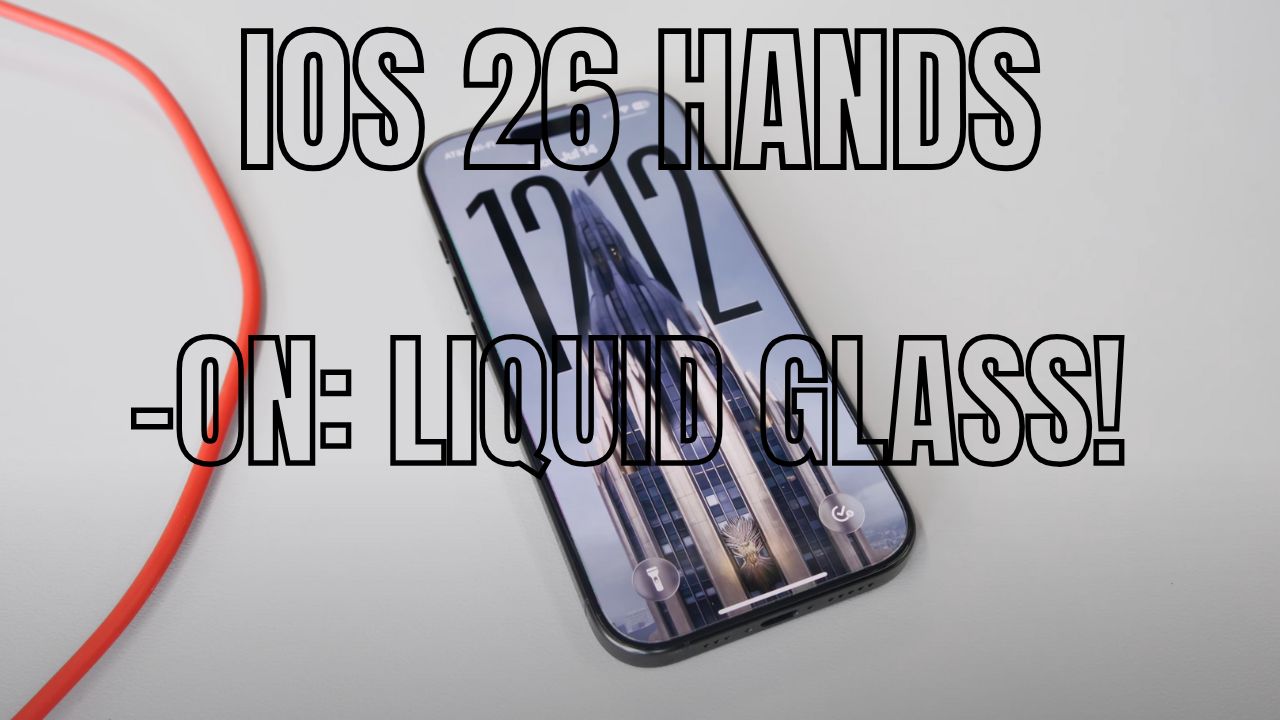
iOS 26 Preview – Apple Goes Bold with Liquid Glass, Smarter AI, and More!

One UI 8 vs Android 16 – Which Offers the Best Android Experience in 2025?

Vivo X200 FE vs iPhone 16: The Compact Flagship Android Users Shouldn’t Ignore in 2025

iQOO Neo 10 Unboxing & First Impressions—Power-Packed Performer Under ₹30,000!

Motorola edge 60 fusion is here – The most premium phone @20,999*

CMF Phone 2 Pro: Premium Features at an Affordable Price in 2025
-
 Tech10 months ago
iQOO Neo 10 Unboxing & First Impressions—Power-Packed Performer Under ₹30,000!
-
 Tech11 months ago
Motorola edge 60 fusion is here – The most premium phone @20,999*
-
 Tech11 months ago
CMF Phone 2 Pro: Premium Features at an Affordable Price in 2025
-

 Auto Mobile10 months ago
Top Upcoming 7-Seater Hybrid Cars in India – Fortuner, Ertiga, Triber & More
-

 Tech10 months ago
iPhone 17 Series: Major design change in years 2025—all you need to know
-

 Auto Mobile10 months ago
2025 Kia Carens Clavis – Not Perfect, But Possibly the Best 7-Seater SUV for Indian Families
-

 Tech11 months ago
Top 10 Upcoming Phones in May 2025: Flagships, Foldables & Game-Changers!
-

 Tech11 months ago
MotoBook 60 Unboxing & First Impressions: 120Hz OLED, Intel Core 5, 16GB RAM – Is This the Best Laptop Under ₹60,000?