class="wp-singular post-template-default single single-post postid-560 single-format-standard wp-embed-responsive wp-theme-zox-news theiaPostSlider_body eio-default elementor-default elementor-kit-419">
Connect with us

Tech

MotoBook 60 Unboxing & First Impressions: 120Hz OLED, Intel Core 5, 16GB RAM – Is This the Best Laptop Under ₹60,000?

Published

on

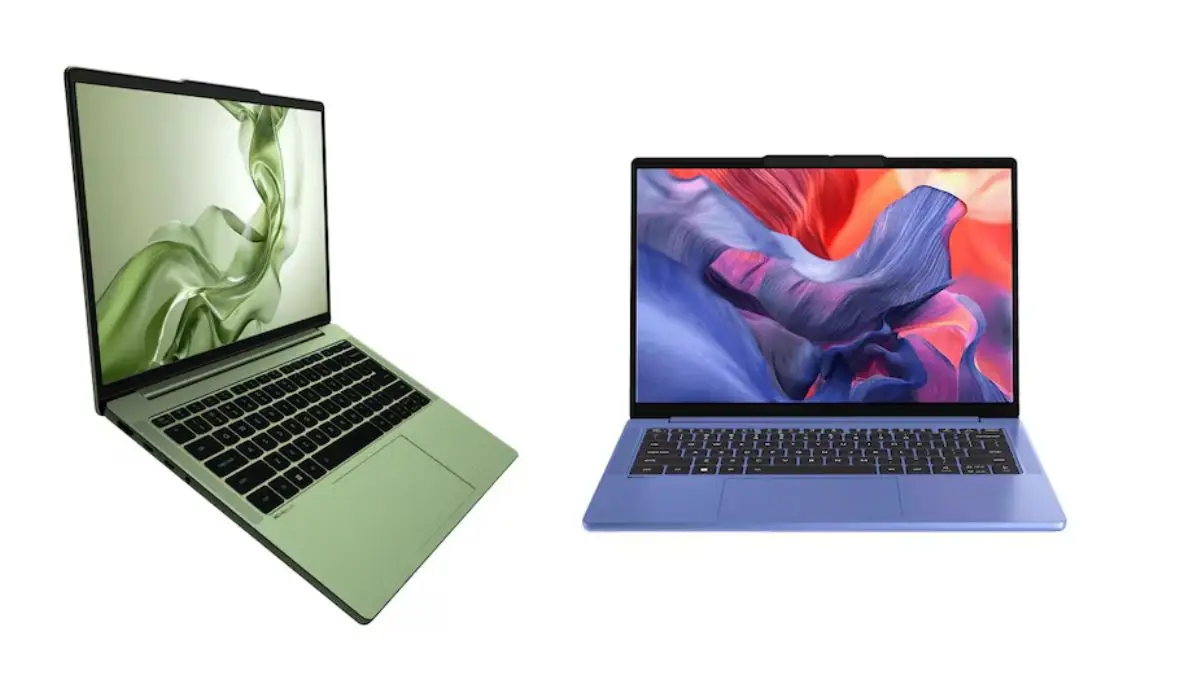
moto book 60 Laptop

Motorola, a name we typically associate with smartphones, is rapidly expanding its product ecosystem. After recently launching two smartphones and a tablet, Motorola has entered the laptop market with the MotoBook 60. In this blog post, we unbox the MotoBook 60 and share our first impressions of this stylish new laptop that packs a serious punch, especially for students and professionals.

SectionDetails
TitleMoto Book 60 Unboxing & First Impressions ⚡ 120Hz OLED, Core 5, 16GB RAM @ ₹61,999*
Video LinkWatch on YouTube
IntroMotorola is expanding its ecosystem rapidly! After smartphones and tablets, they’ve now launched a premium laptop – the Moto Book 60.
Box Contents65W Type-C charger, MotoBook 60 laptop
Design & Build– Full metal (aluminium) body
– Pantone Green color with signature Motorola logo
– Weighs approx. 1.48 kg
– 170° hinge opening
Display– 14″ OLED display
– 2.8K resolution (2880×1800)
– 120Hz refresh rate
– Dolby Vision support
– High color accuracy (supports Adobe RGB, etc.)
Ports & Connectivity– USB Type-C & USB Type-A (3.2 Gen 1)
– HDMI 1.4
– MicroSD card slot
– 3.5mm jack
– Always-on USB port
– Wi-Fi 7 & Bluetooth 5.4
Keyboard & Trackpad– Decent keyboard
– Responsive trackpad
– Front-firing speakers with Dolby Atmos
DurabilityMIL-STD-810H certified (21 durability tests passed)
Performance– 13th Gen Intel Core i5/i7 (latest U series)
– 16GB DDR5 RAM (upgradable to 32GB)
– 512GB/1TB Gen 4 SSD
– Integrated Intel GPU
Battery– 60Wh battery
– Up to 5-6 hours of typical usage
Software– Windows 11 Home
– Office 2024 pre-installed
Smart Features– Motorola Smart Connect (seamless sync with phones/tablets)
– Universal control with mouse across devices
– Windows Hello with IR webcam
Ideal ForStudents, working professionals, creatives looking for a powerful and premium laptop
Starting Price₹61,999 (goes up to ₹85,000 depending on the variant)

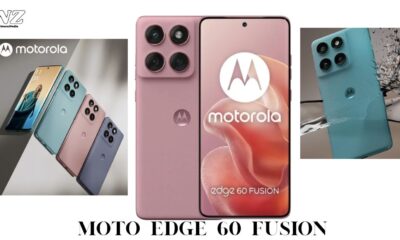
Also Read: Motorola edge 60 fusion is here – The most premium phone @20,999*

What’s Inside the Box?

The MotoBook 60 comes with:

Advertisement
  • A compact 65W USB Type-C charger
  • No barrel-type charger—modern and minimal
  • The laptop itself in a striking Pantone Green finish

The build quality is impressive with an all-aluminium chassis, giving it a premium and durable feel. It weighs around 1.48 kg, making it quite portable for daily use.

Design & Build Quality

  • Pantone Color Finish: Distinctive and stylish
  • Front-facing speakers: Great for multimedia use
  • Military Grade 810H certification: Passed 21 durability tests
  • 170-degree hinge: Smooth to open, one-finger lift
  • Keyboard & Trackpad: Comfortable and well-spaced

Ports & Connectivity

You get a generous array of ports:

  • HDMI 1.4
  • USB Type-C (3.2 Gen 1)
  • USB Type-A (3.2 Gen 1)
  • MicroSD card slot
  • 3.5mm audio jack
    Plus, one of the USB-A ports supports always-on charging, even when the laptop is off.

Display: The Star of the Show

The MotoBook 60 features a 14-inch 2.8K OLED display with a 120Hz refresh rate. Add Dolby Vision support to the mix, and you have one of the best screens in its price segment.

  • 2.8K resolution
  • 120Hz refresh rate
  • Color-accurate panel with multiple color profiles
  • Perfect for multimedia, creators, and general users

Also Read: Vivo T4 5G Unboxing & First Impressions A Beast with 7300mAh Battery & 90W Charging

Performance & Specs

Under the hood:

  • Intel Core 5 (latest gen, launched late 2024)
  • 16GB DDR5 RAM (upgradable to 32GB)
  • 512GB/1TB Gen 4 SSD options
  • Intel integrated graphics
  • Wi-Fi 7 + Bluetooth 5.4 support
  • Battery: 60Wh, offers 5-6 hours of real-world usage

Ideal for:

  • Students
  • Professionals
  • Content creators (except for heavy GPU workloads)
  • Light to medium gaming (Full HD)

Software & Ecosystem

  • Windows 11 Home + Office 2024 pre-installed
  • IR Blaster for Windows Hello support
  • Smart Connect features:
    • Sync with Motorola phones & tablets
    • File transfers
    • Notification sync
    • Universal control for mouse/keyboard across devices

Motorola is pushing its ecosystem strategy hard—this is a perfect companion if you already own a Moto smartphone or tablet.

Final Thoughts: Should You Buy the MotoBook 60?

For a starting price of ₹61,999*, the MotoBook 60 stands out for its:

Advertisement

✅ Stunning OLED 2.8K Display
✅ Solid Build with Military-Grade Durability
✅ Smooth Everyday Performance
✅ Smart Ecosystem Integration

While the speakers and battery life are decent but not class-leading, the display and performance more than make up for it.

Recommended For:

  • College students
  • Remote professionals
  • Content consumers
  • Casual creators

Bonus: MotoPad 60 Pro Launched Alongside Motorola also announced the MotoPad 60 Pro with a Dimensity 8300 chip, 12.7″ display, Moto Stylus support, and an AnTuTu score of 1.2-1.3M. Perfect for those looking for a performance-focused Android tablet.

Advertisement
Continue Reading
Click to comment

Leave a Reply

Your email address will not be published. Required fields are marked *

Tech

iOS 26 Preview – Apple Goes Bold with Liquid Glass, Smarter AI, and More!

Published

on

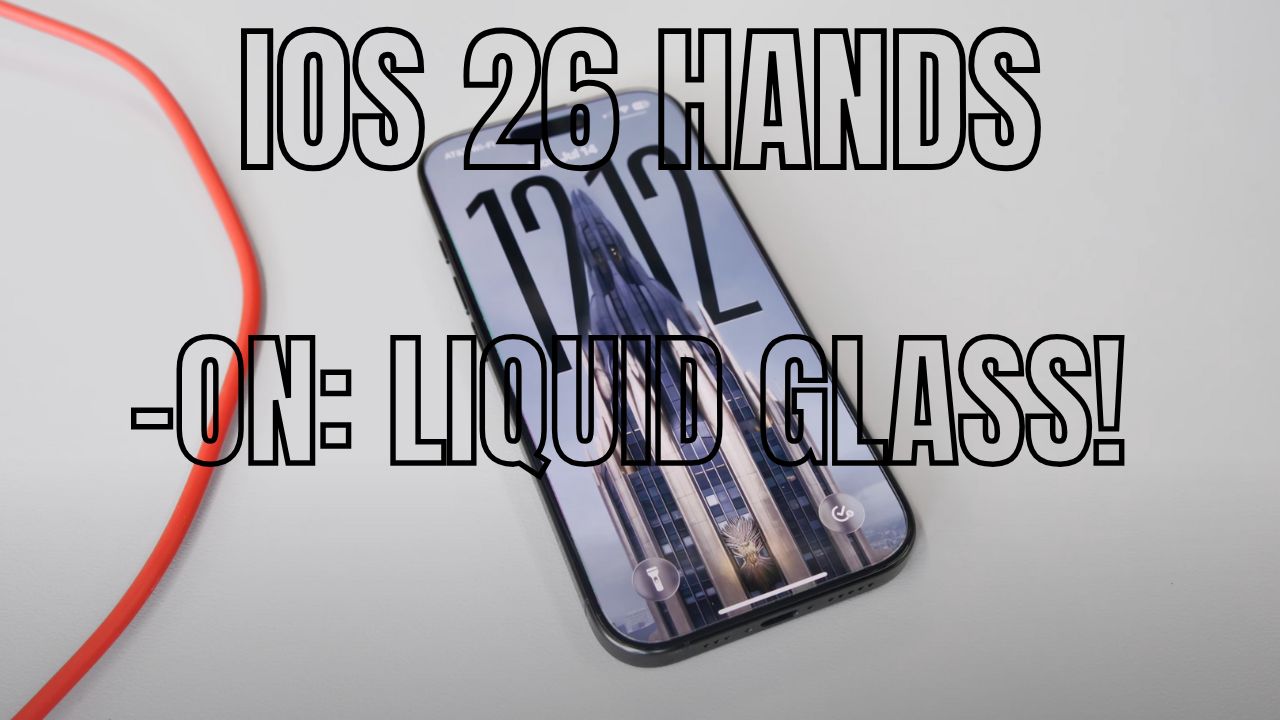
OS 26 Hands-On: Liquid Glass!

Apple’s soon-to-be-released latest iPhone software iOS 26, is so way more than an update; it’s a visual and functional overhaul. Users can now download the public beta and experience the new work-of-art user experience powered by Liquid Glass aesthetics with a smarter AI and exciting enhancements across all primary mobile apps like Camera, Phone, Messages, and CarPlay.

In this first look breakdown, let’s discover the best features of iOS 26 and what works, what can improve upon, and why Apple fans should feel excited!

Quick Overview – iOS 26 Features at a Glance

FeatureHighlights
🎨 Liquid Glass DesignTransparent, refractive UI inspired by visionOS
📸 New Camera App UISimplified layout, pro video settings, intuitive gestures
🔍 Visual IntelligenceReverse image search + ChatGPT integration
📞 Upgraded Phone AppCall Screening, Hold Assist, unified layout
🚗 Apple CarPlay RevampSmaller call UI, Tapback replies, widgets, live activities
🔋 Charging EstimateBattery time-to-full now shown
🌐 Offline Live TranslationAvailable in Messages, FaceTime & Phone app
🧊 Spatial Scene ImagesTurn static photos into interactive 3D lock screens

Liquid Glass UI – A Visual Identity Overhaul

The most incredible new aspect of iOS 26 is Liquid Glass, Apple’s newly minted design language across all iOS, iPadOS, macOS, etc. Think shimmer and transparency, light refraction, and depth-based effects, all in real time as you use your iPhone.

Advertisement

From the glassy animation of the lock screens slide-down blur, to transparent icons and widgets, iOS 26 really comes across as dynamic and futuristic. However, it is not without downside — in some cases, the legibility is poor, especially on top of light backgrounds. Nevertheless, in Beta 3, Apple is toning down transparency to improve legibility and offered a “Reduce Transparency” toggle for those that prefer a more traditional look.

The clock on the new lock screen is also scalable and able to be resized, repositioned, and adjusted (as it relates to notifications) with a long-press!

Camera App Rebuilt – Finally, a Refresh That Makes Sense

The iPhone Camera app has been redesigned for the first time in years by Apple, and it is a welcome change. The new design is uncomplicated, with only the essential buttons visible. The other controls are now hidden behind swipes and toggles that help create a clear interface.

Also Read:

Vivo X200 FE vs iPhone 16: The Compact Flagship Android

Advertisement

Some great features:

Top-left menu: With this menu, it is now possible to select video formats and frame rates quickly without endless taps.

Swipe up: To discover ‘advanced’ settings: resolution and HDR toggles.

More modes, easier switching: All shooting modes are really just a swipe away, although some are hidden from view unless sought out.

This design offers a nice compromise between ease-of-use for the novice and control for the professional..

Visual Intelligence – Smart AI Just Got More Useful

Apple’s Visual Intelligence is developing rapidly. It’s earlier functionality was contingent upon physically identifying objects in the world with the camera. Now Apple is applying visual intelligence to on screen scenarios through a redesigned screenshot user experience.

Advertisement

Here is what’s new:

Take a screenshot → Tap “Ask” or, “Search Image”.

Circle any object → the iPhone will do an image search or you can ask ChatGPT.

Automatically add events to Calendar if the screenshot has an explicit date/ time stamp.

While Apple Visual Intelligence is not perfect yet – slow and slightly buggy – this integration is a big step forward in application.ion hints at Apple’s growing AI ambition — and it’s finally starting to feel useful.

Phone App Upgrades – Pixel-Like Call Features for iPhone

What’s this? The once-little Phone app is much more than just calling.

Advertisement

Call Screening: When an unknown number calls, iOS can ask the caller to state their name and purpose. Their message is transcribed live, so you can make a decision about answering.

Hold Assist: If you are on hold, your iPhone can listen to the call and notify you when a real person comes back on the line.

Unified Display: Finally, a display that combines your favorites, recent calls, and voicemail into one — finally!

This newly designed Phone app is also coming to iPad and Mac in iOS 26, creating a communications hub across devices.

CarPlay Overhauled – A Long Overdue Upgrade

iOS 26 introduces some very big quality-of-life updates for CarPlay users:

Advertisement

Incoming calls no longer take over your entire screen

Messages support Tapbacks (reactions)

You can customize the widget dashboard in the left panel

Live Activities support (ie Summary View, real-time directions, music controls)

While CarPlay Ultra is only available in certain luxury cars (like the Aston Martin) the standard features will have immediate impact for the majority of users.

Advertisement

Bonus: Spatial Scene Photos & Smarter Messages

As part of the bonus features in iOS 26:

Spatial Scenes: Transform any subject-based photo into a physical dimension lock screen wallpaper which moves as you tilt the phone. Slickly animated and surprisingly not a gimmick.

New Messages Tools: Beach too, actually! Add backgrounds, inline polls and can now see group typing indicators – plus offline live translation in chats and calls.

Apple has also added battery charge estimates, custom snooze times, and a Control Center audio selector – small things but they really help!

Final Thoughts – iOS 26 Is Bold, Beautiful, and Smarter

With iOS 26, Apple is doubling down on design, AI, and real utility. The Liquid Glass aesthetic might divide opinions, but there’s no denying it feels like a complete evolution in iOS UI. Add in smarter camera controls, AI features like visual search, and long-awaited app updates — and you’ve got a strong case to try the public beta today.

Advertisement

Are you a fan of Liquid Glass, or do you prefer the clean, flat design of the past? Let us know in the comments — and stay tuned for more iOS 26 deep dives!

Continue Reading

Tech

One UI 8 vs Android 16 – Which Offers the Best Android Experience in 2025?

Published

on

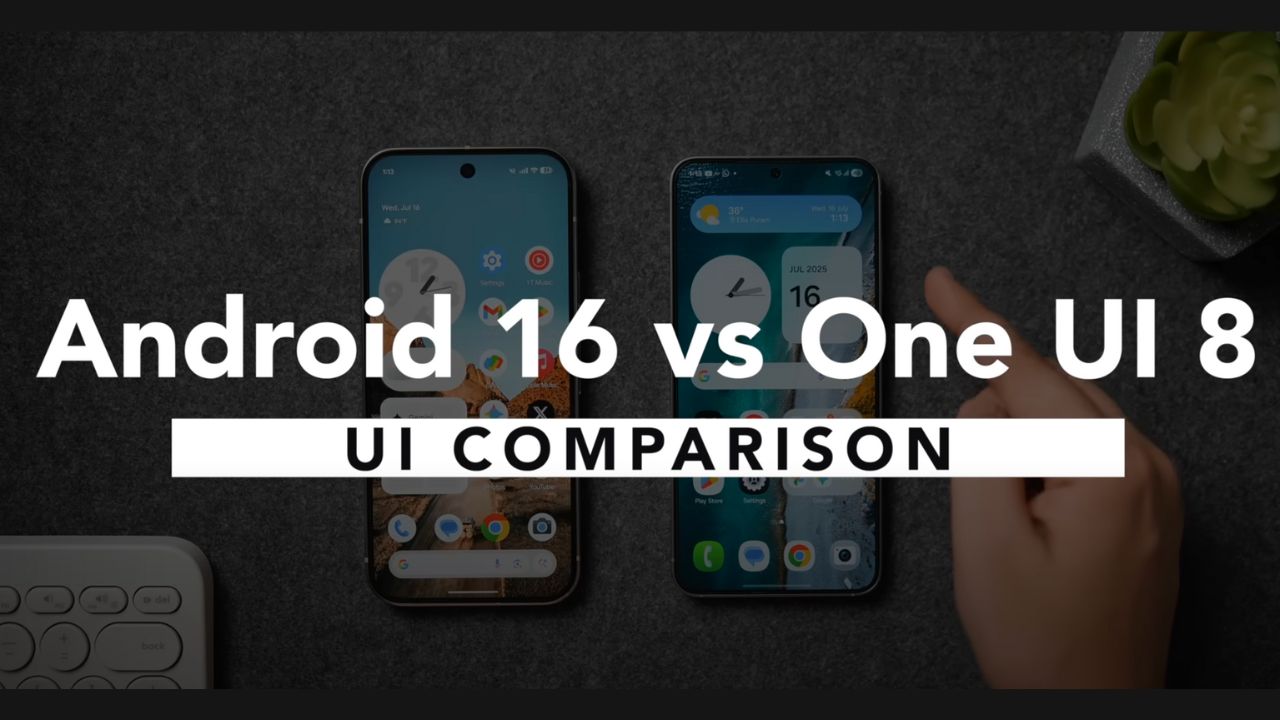
Android 16 vs Samsung one. ui 8

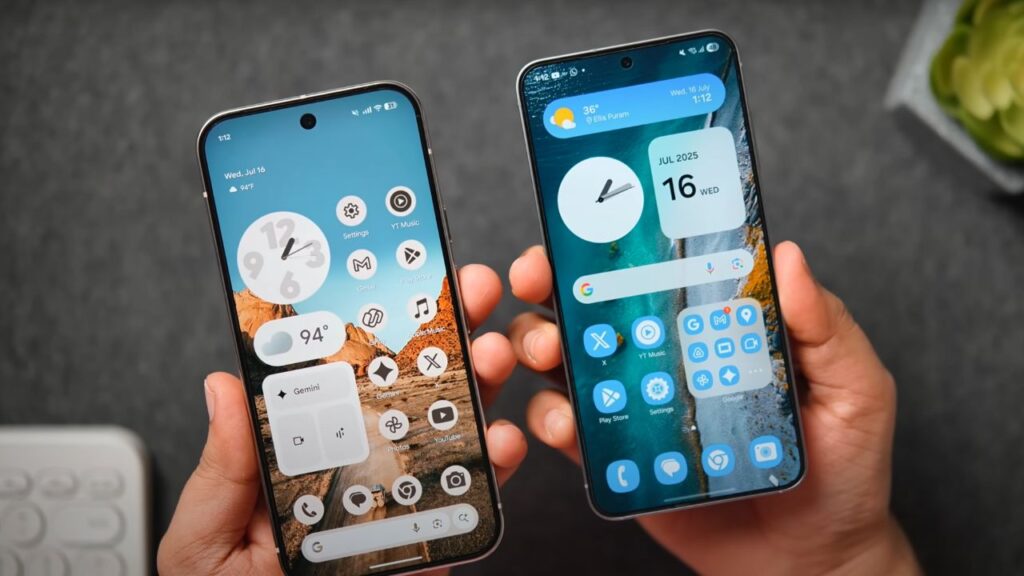
When it comes to Android, users are typically on one side of the line when it comes to a growing pool of OEMs offering their unique skin on top of stock Android – (stock) Google Pixel experience vs feature-rich Samsung One UI. In 2025, in Android 16 with Material 3 Expressive vs Samsung One UI 8 on the Galaxy S25 series. So which is the better user experience? Let’s compare everything from lock screen customizations to widgets, animations, and artificial intelligence features.

Lock Screen Customization – Samsung Takes the Lead

Android 16 (Pixel 9 Pro)

Neat design, with subtle animations

Few clock face options (no new ones since Android 14)

Shape-based wallpaper effects (rain, fog, sun, etc.)

Advertisement

Live animation transitions between the lock screen and home screen

Restrictive sizing for components

One UI 8 (Samsung Galaxy S25)

Complete resize-able and movable clocks

AI-generated Dynamic Clock, that adjusts to the wallpaper shape

AI awarding suggestions for the lock screen

Advertisement

Now panel: live music, score tracker for sports, voice note, and timer

More default clock options that are animated and flashy

✅ Winner: One/UI 8 – Offers more creative possibilities and useful features

Home Screen Experience

Icons & Theming

  • Pixel UI: Minimalist, consistent themed icons, though a bit outdated
  • One UI 8: Slightly modern icons, improved customization with Good Lock

Widgets

FeatureOne UI 8Android 16 (Pixel UI)
Widget ResizingCustom sizes, 1×2 to 4×4+Limited resizing
Aesthetic DesignCohesive with UIBasic Material 3 styling
FunctionalityRich with controlsSimpler and static

Winner: One UI 8 – More functional and beautifully integrated widgets

App Drawer & Quick Settings Panel

Android 16 introduces a blurred background in the app drawer and quick settings to modernize the appearance.
Android 16 vs  Samsung one. ui 8
Android 16 vs Samsung one. ui 8

One UI 8 allows for both horizontal and vertical scrolling, customizable layout, and enhanced ordering (custom/alphabetical).

Both UIs support tile repositioning and layout adjustments, but Samsung’s panel looks more polished.

Advertisement

Also Read: Vivo X200 FE vs iPhone 16: The Compact Flagship Android

Winner: One UI 8 – Siemens Cleaner, and flexibility in design

Customization & Visual Tweaks

Android 16

Material You design (Material 3 Expressive)

New wallpapers features live effects ( animations based on weather, temperature etc. )

Slightly interactive toggles and sliders

Advertisement

Toggle jiggly animation when toggling on/off

One UI 8

GoodLock for insane levels of customization

Modify recent apps interface, animation, quick settings…

Cleaner and more elegant UI layout

✅ Winner: One UI 8 – Deeper user friendly customization out of the box

Advertisement

Animations & Haptics

Android 16: Interactive animations, solid haptic feedback but a little jittery due to single sequential animations

One UI 8: Animated transition, polished gestures, customizable with Good Lock

✅ Winner: Tie – Pixel’s more interactive, but Samsung’s has smoother animations.

AI Features – Who’s Smarter?

AI FeatureOne UI 8 (Samsung)Android 16 (Pixel)
Lock Screen Suggestions✔️ AI-driven❌ Not available
Dynamic Clock AI✔️ Shape-aware clock❌ None
AI Live Activities (Now)✔️ Cricket, Music, Voice, etc.❌ Limited live info
Voice Translation / AI Tools✔️ Samsung AI Assistant✔️ Gemini AI, Circle to Search

Winner: One UI 8 – More meaningful day-to-day AI implementation

Final Verdict – One UI 8 or Android 16?

CategoryWinner
Lock ScreenOne UI 8
Home ScreenOne UI 8
WidgetsOne UI 8
App DrawerOne UI 8
Quick Settings PanelOne UI 8
Animations & HapticsTie
AI FeaturesOne UI 8
Software CleanlinessAndroid 16

Overall Winner: One UI 8

While Android 16 brings visual enhancements and smoother animations, Samsung’s One UI 8 simply offers more: better customization, smarter features, cleaner UI, and more control. With Good Lock support and rich system-level personalization, Samsung delivers the most polished and user-centric Android experience in 2025.
Advertisement

Continue Reading

Tech

Vivo X200 FE vs iPhone 16: The Compact Flagship Android Users Shouldn’t Ignore in 2025

Published

on

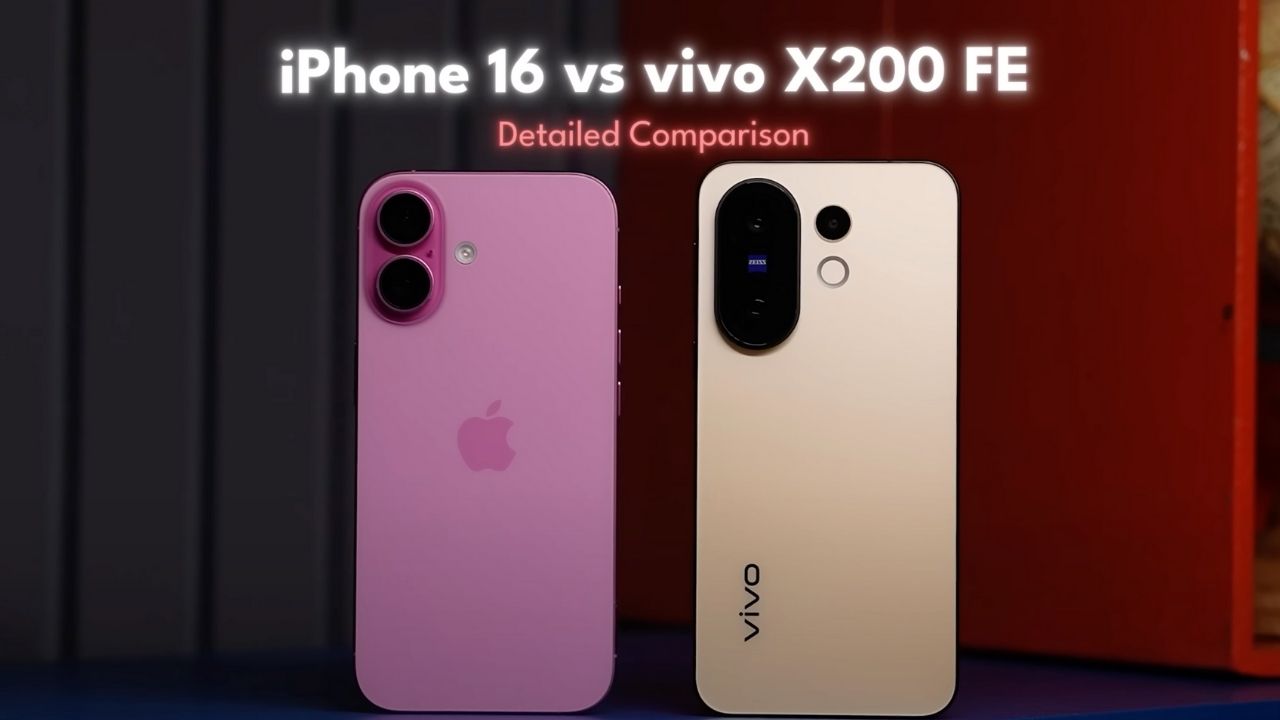
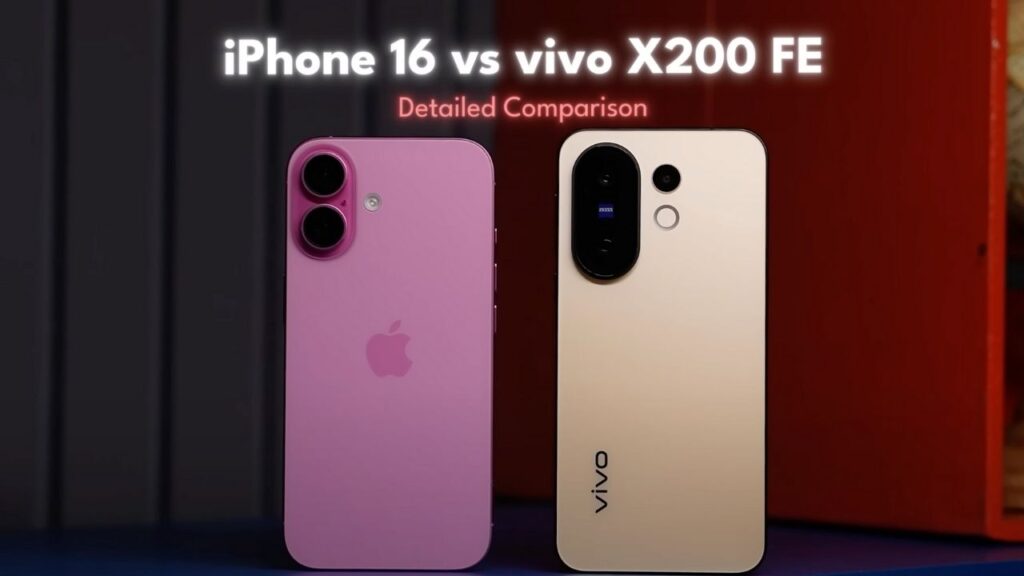
Vivo X200 FE vs iPhone 16

In a world where iPhones dominate the premium space, the Vivo X200 FE comes in hot—offering better hardware, a lower price, and practical features that even the iPhone 16 skips. But can it actually outshine Apple’s compact powerhouse? Let’s break down the full comparison.

Design & Build: Inspired, Yet Better?

The Vivo X200 FE takes visual cues from the iPhone 16 with flat sides and a sleek in-hand feel. But unlike the iPhone’s Ceramic Shield, Vivo uses Schott Sensation Core, which holds up better against scratches. It also carries a more modern IP69 rating (vs iPhone’s IP68), giving it an edge in ruggedness.

FeatureVivo X200 FEiPhone 16
Display GlassSchott Sensation CoreCeramic Shield 2.0
Water ResistanceIP69IP68
Weight< 200gLighter
Extra ButtonsAction + Camera Button
In-box AccessoriesCase + Charger IncludedNone

Battery & Charging: Vivo Leads the Pack

The X200 FE wins hands down in this department. With a larger battery and 90W fast charging, it offers up to 8 hours of screen-on time. In contrast, the iPhone 16 maxes out around 6.5 hours and takes over 90 minutes to charge.

Advertisement

Also Read:Honda Activa 7G Scooty Price — 2025 Model Offers 65 km/l Mileage, Digital Meter & Features Women Love!

Display: 120Hz LTPO vs 60Hz OLED

This is where the gap widens. The iPhone 16, in 2025, still uses a 60Hz OLED panel, while Vivo equips the X200 FE with a 120Hz LTPO AMOLED, 3000 nits peak brightness, and 2160Hz PWM dimming for better eye comfort.

FeatureVivo X200 FEiPhone 16
Size6.31”6.1”
Refresh Rate120Hz LTPO60Hz
Peak Brightness3000 nitsBrighter outdoors
HDR SupportHDR10+Dolby Vision
PWM Dimming2160HzNot specified

Audio & Haptics: iPhone Still Wins

While the X200 FE offers stereo speakers and high-res Bluetooth codecs (LDAC, LHDC), the iPhone 16’s speakers sound fuller, and its haptic feedback remains unmatched thanks to Apple’s Haptic Engine.
Vivo X200 FE vs iPhone 16

Performance & Storage

  • iPhone 16: Powered by the A18 chip, leading in CPU benchmarks
  • Vivo X200 FE: Runs on MediaTek Dimensity 9300+, excellent GPU stability, and better thermal management

What’s more impressive is that Vivo offers 12GB RAM and 256GB base storage, whereas iPhone sticks to 8GB RAM and 128GB in the base variant.

Gaming Comparison

  • BGMI: iPhone capped at 60FPS due to display
  • Vivo X200 FE: Supports 120FPS gameplay, cooler surface temps, and more consistent frame rates in Genshin Impact

However, the iPhone supports console-level games like Resident Evil Village and Assassin’s Creed Mirage via App Store, which Android lacks.

Camera Showdown: More Versatile on Vivo

Vivo features a triple-camera system, including a dedicated telephoto lens, while iPhone sticks to a dual-lens setup.

Advertisement
Camera FeatureVivo X200 FEiPhone 16
Main Sensor50MP + Zeiss Color Modes24MP
Zoom Capabilities3x Optical, 10x Digital2x In-Sensor Crop
Low-Light PerformanceBetter Brightness & DetailMore Neutral Look
Ultrawide Camera8MP12MP + Macro Mode
Selfie CameraGreat in low lightBetter color accuracy
Video Quality4K60 (Main + Front)4K60 + HDR Support

Verdict: Vivo wins in photography; iPhone dominates in videography.

Software: Apple Ecosystem Still Reigns

  • iPhone 16 runs iOS 18 / iOS 26 Developer Beta
  • Vivo X200 FE runs FunTouch OS 15 (Android 15)

While Vivo promises 4 years of updates, Apple is expected to deliver 6–7 years. iOS still offers a more refined UI, better app support, and exclusive ecosystem features like MagSafe, Dynamic Island, and Apple Intelligence (AI suite).

AI Features Compared

AI FeaturesVivo X200 FEiPhone 16
AI EditingAI Eraser, Live Cutout, Photo EnhanceImage Playground, Genmoji
AssistantGoogle Gemini, Circle to SearchApple Intelligence
TranslationAI Call TranslatorVisual Lookup, Siri Smart Tasks

Final Verdict: Is Vivo X200 FE the Better Deal?

If you care about:

  • Hardware value
  • High refresh rate display
  • Photography versatility
  • Faster charging & better battery life
  • Lower price (₹49,999 vs iPhone’s ₹79,990)

Then the Vivo X200 FE is the better buy. However, if you want unmatched software experience, ecosystem integration, and best-in-class video, the iPhone 16 still wins in refinement.

Advertisement
Continue Reading

Trending